Teams allow you to collaborate by sharing notes and files with other members inside LunaNotes
1. Access Teams settings
-
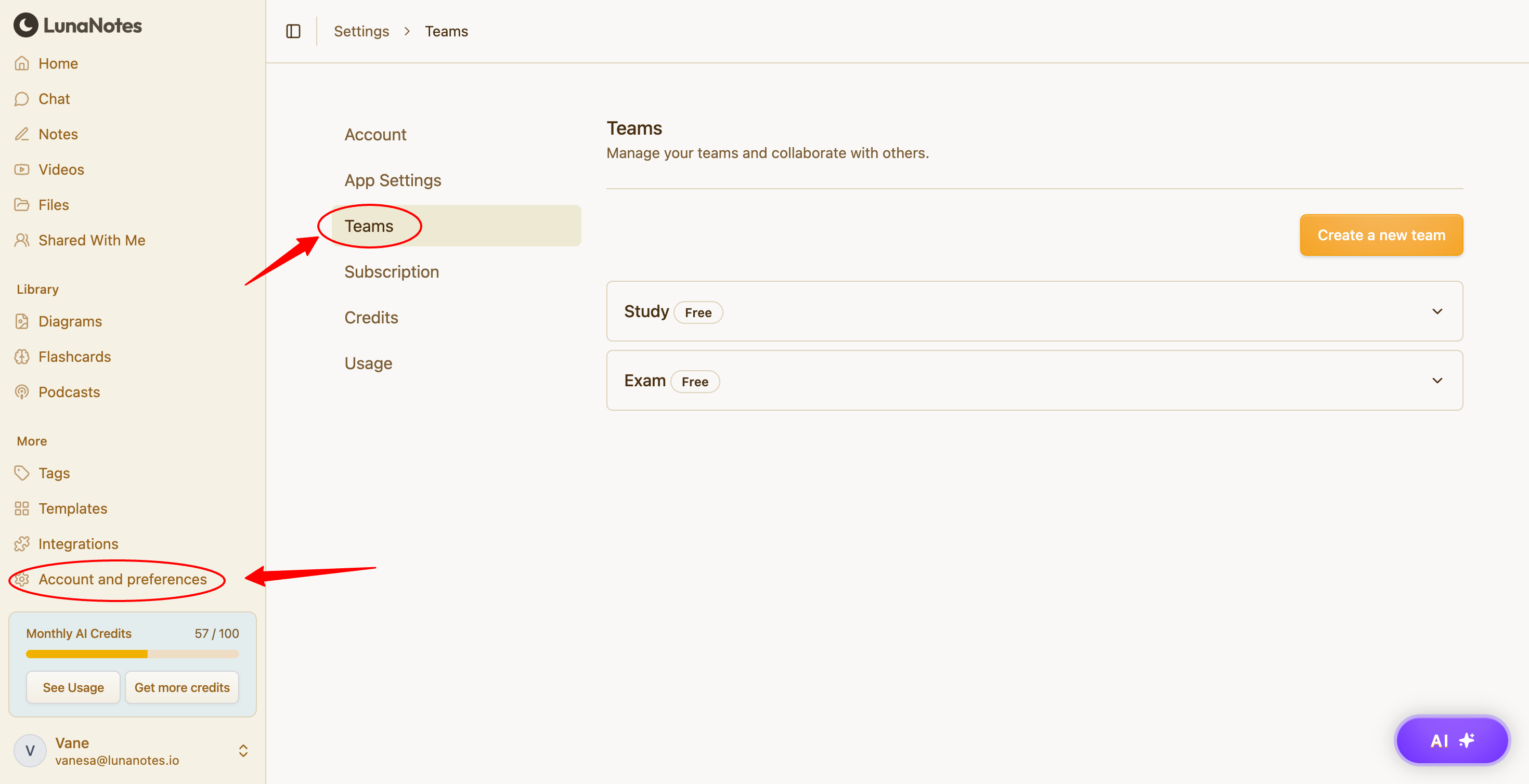
Open LunaNotes.
-
Go to Settings → Teams.
2. Create a new team
-
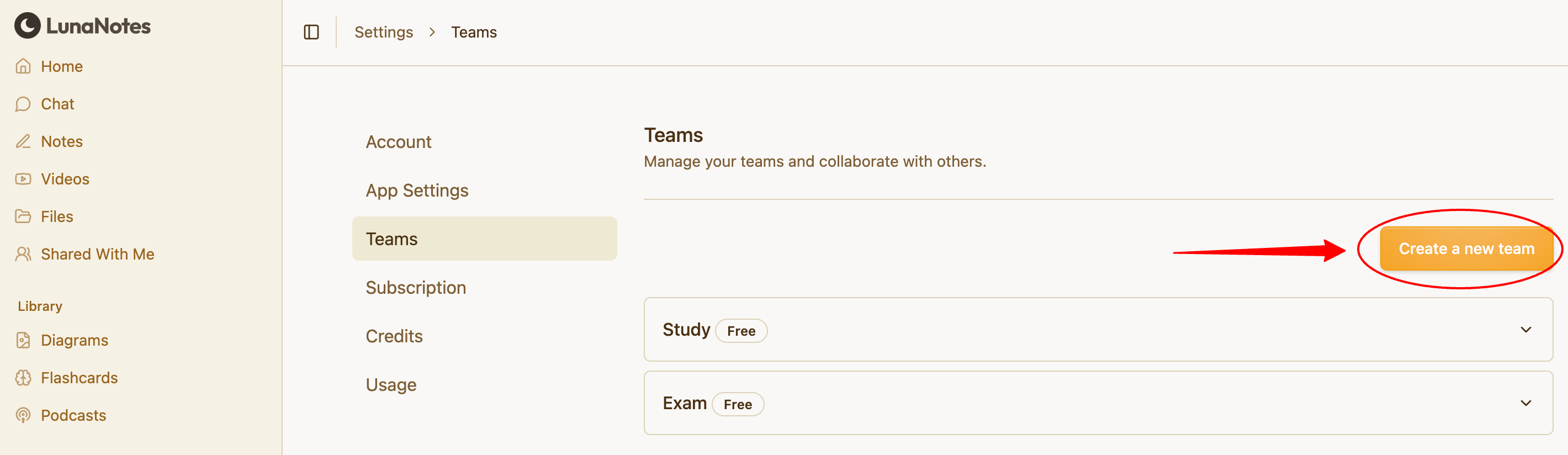
Click Create a new team.
-
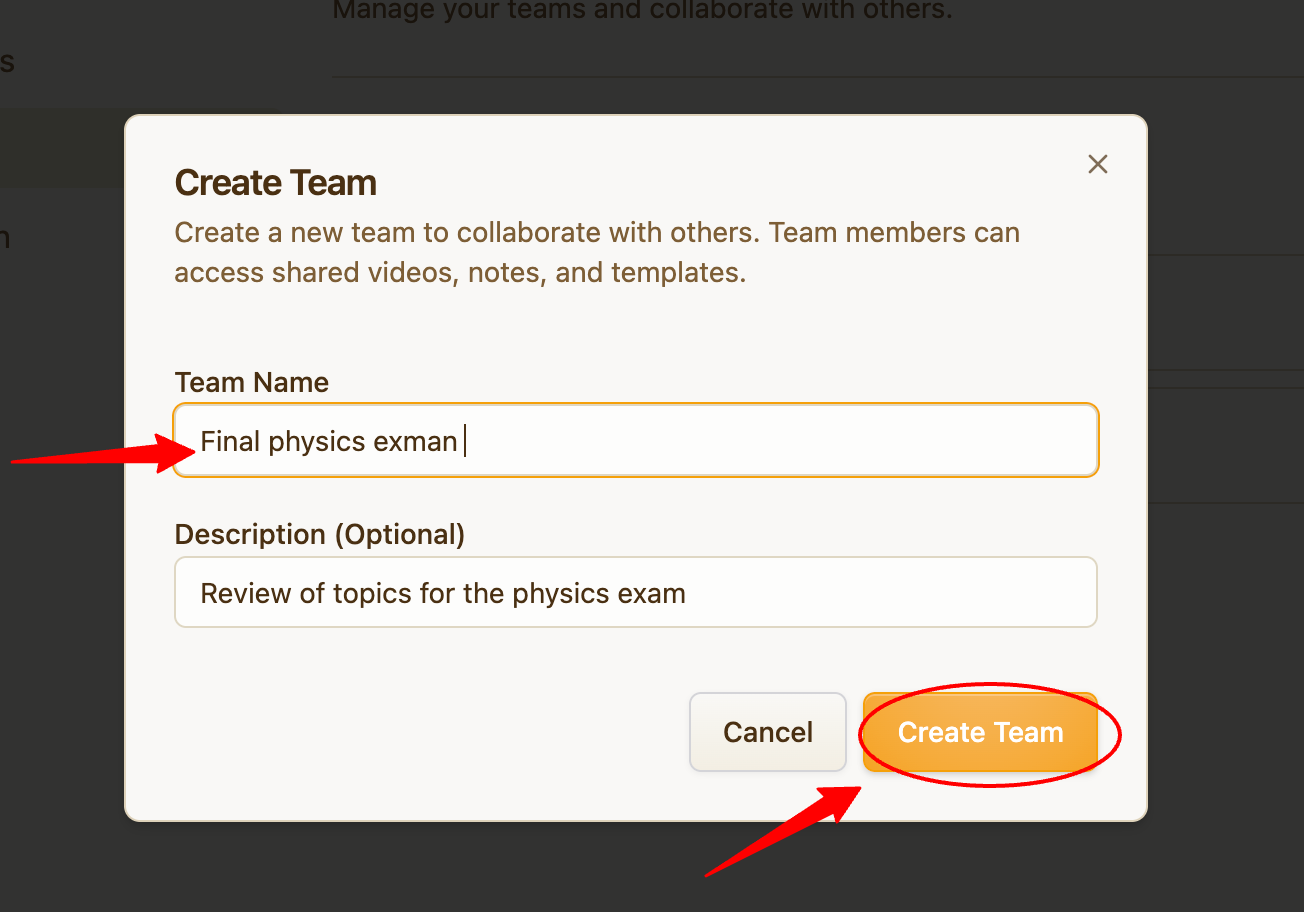
Enter a team name.
-
Confirm to create the team.
Your team will be created immediately.
3. Invite team members
-
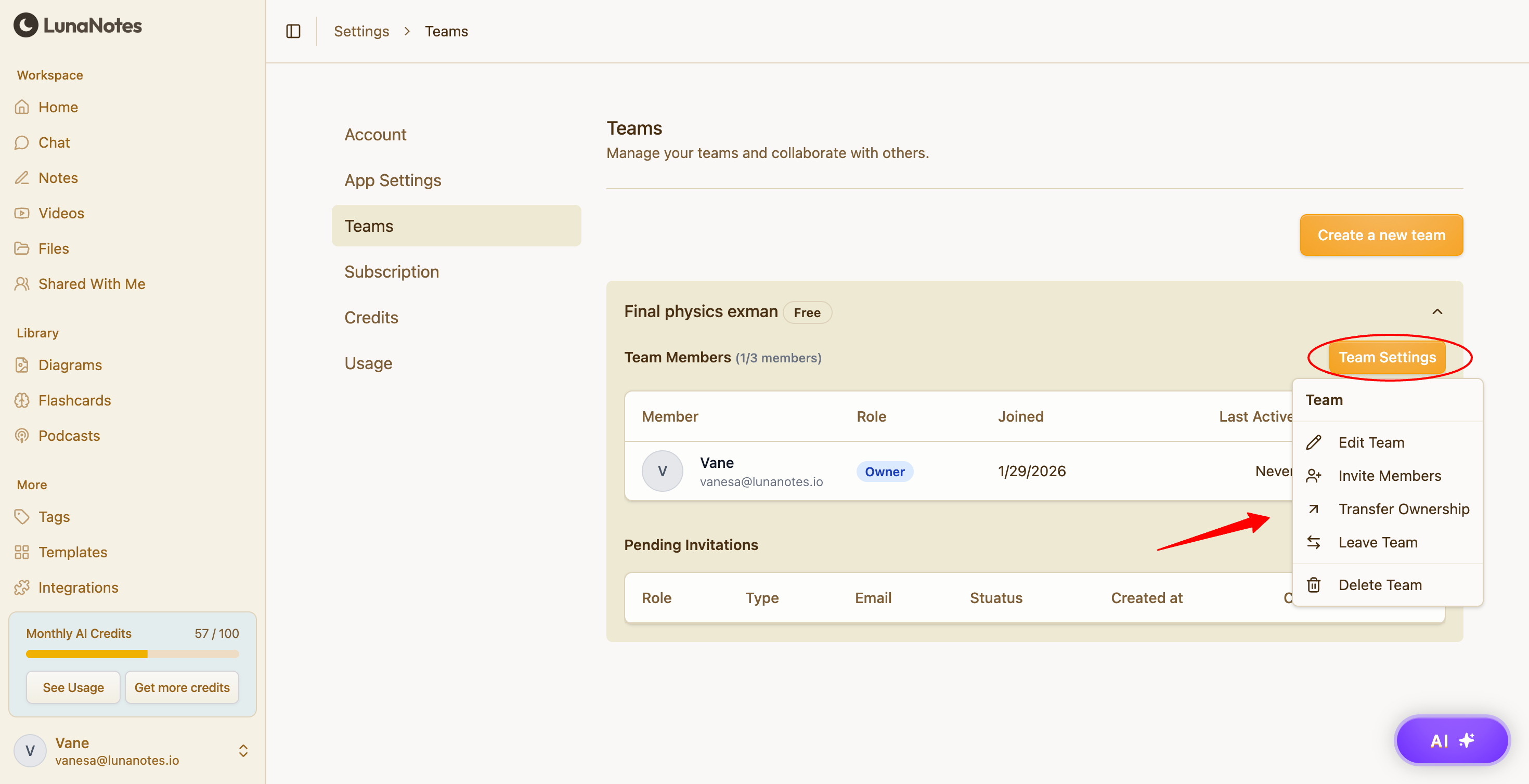
Select your team from the Teams list.
-
Invite members using their email address.
-
Send the invitation.
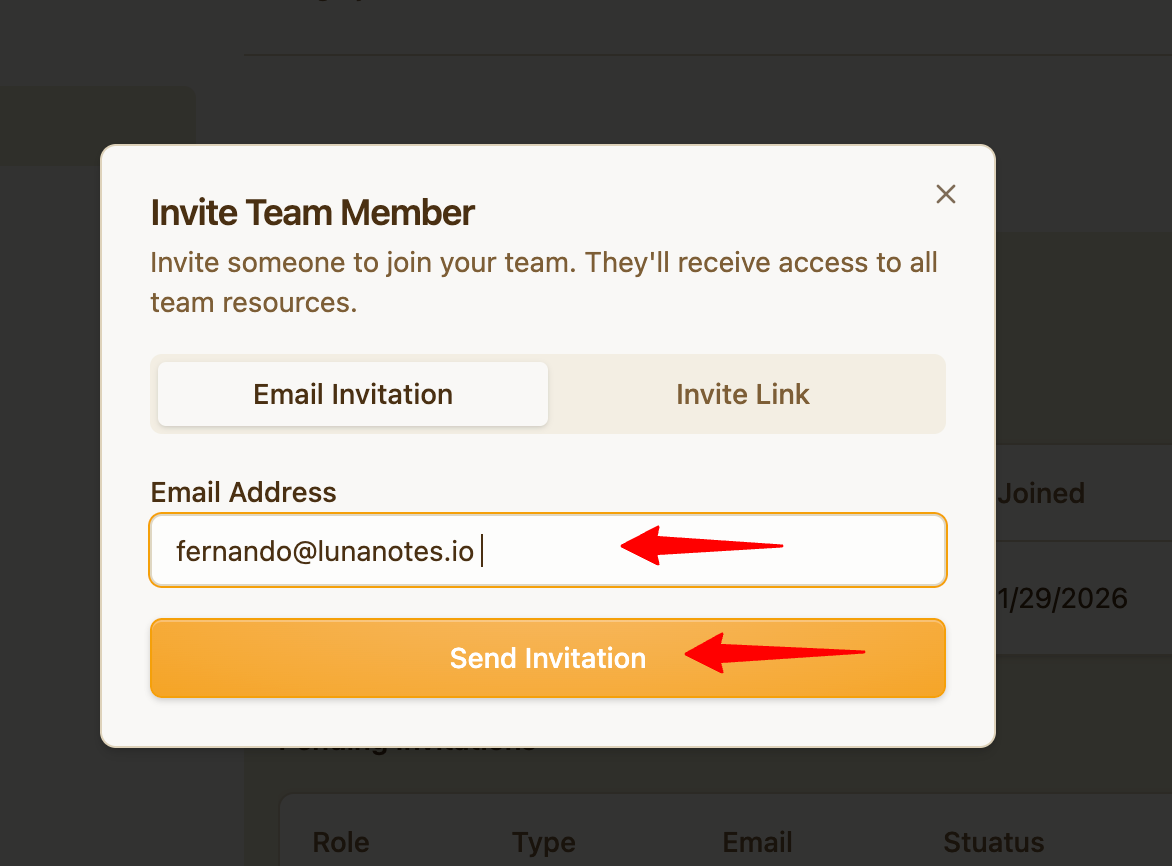
Invited users will gain access once they accept the invite.